Quick Journal Page Callouts
What it does
This Foundry module adds a callouts menu to Foundry VTT’s ProseMirror editor which are based on the details tag which now render correct with Foundry VTT v14.
You will find a new icon in your editor after installing the menu with pre defined callouts.
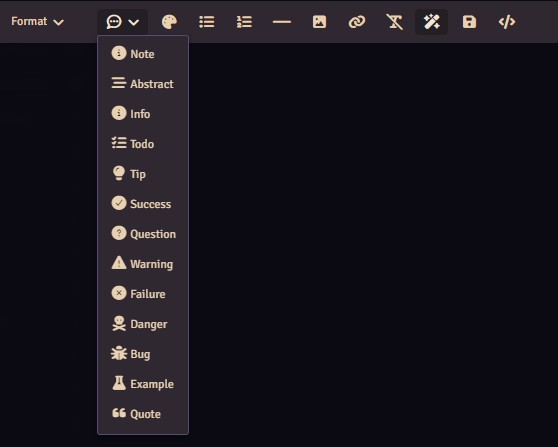
In addition you can configure the available types, names, classes, icons, and the default open state in the module settings. If you are profficient with css you can define your own styling as you are able to define your own classes.
Settings
The settings menu has only one entry which let’s you open an application window that lets you configure callouts.

The Github repository can be found here
https://github.com/CePeU/Quick-Journal-Page-Callouts
How to use
-
Choose a callout at an empty selection to insert two empty body paragraphs, with the cursor in the first. New callouts open for immediate typing, including presets configured to start collapsed.
-
Type and press Enter to add paragraphs inside the callout. Enter on its final empty paragraph creates a new paragraph after the callout and moves the cursor there. This works after either mouse or arrow-key navigation.
-
Select text and choose a callout to wrap the selection in
<details>with the configured name in<summary>. Formatting and unselected surrounding text are preserved. The cursor moves to the end of the wrapped text so you can press Enter and continue writing. -
Click the title to edit it. Enter in the title opens the callout and moves to its first body paragraph.
-
Click the disclosure icon or arrow before the title to open or close the callout. Clicking a body line or the blank space around it leaves the callout open for editing. In the journal’s reading view, the normal summary click behavior applies.
Callout Examples
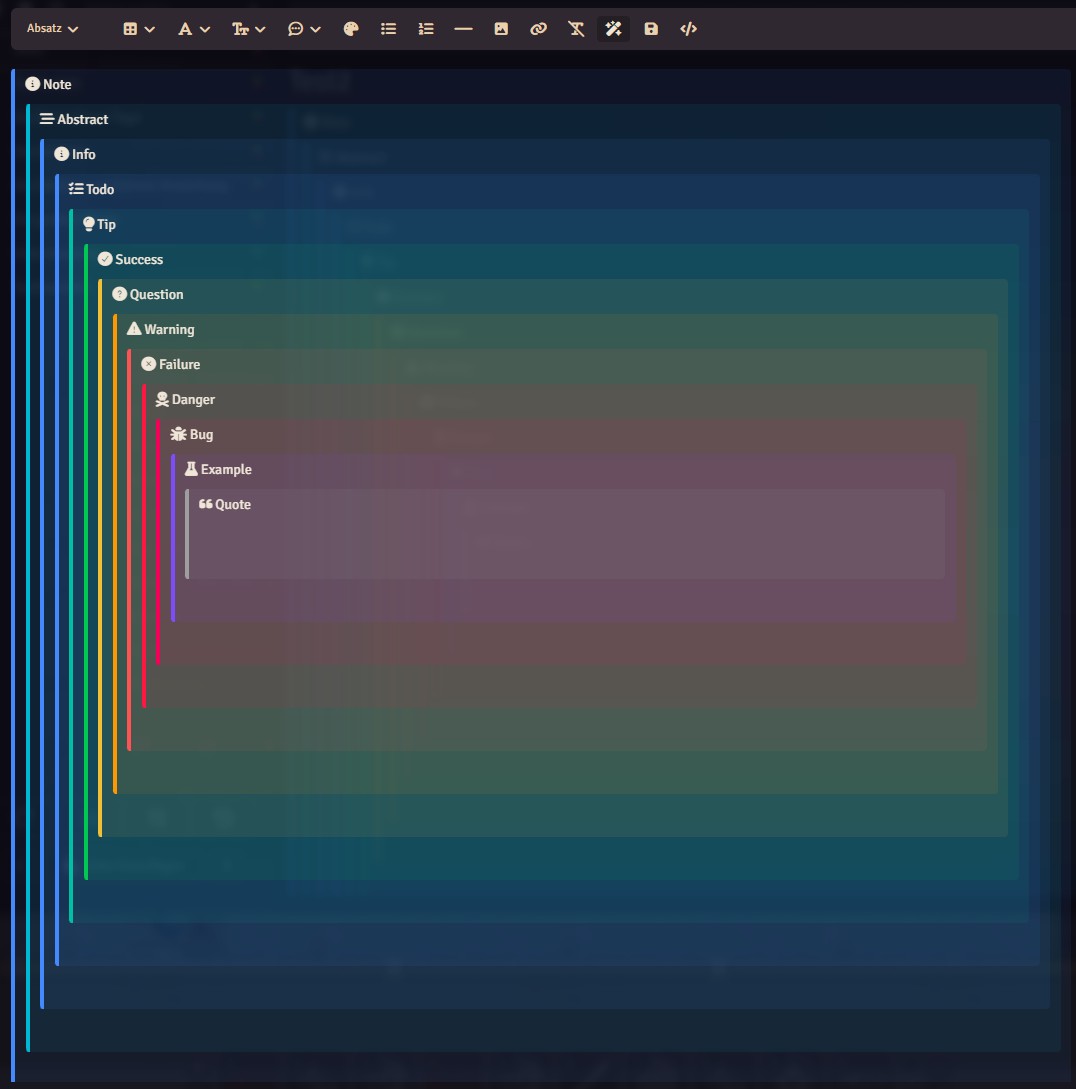
The callouts are inspired by the Foundry VTT module Markdown Paste